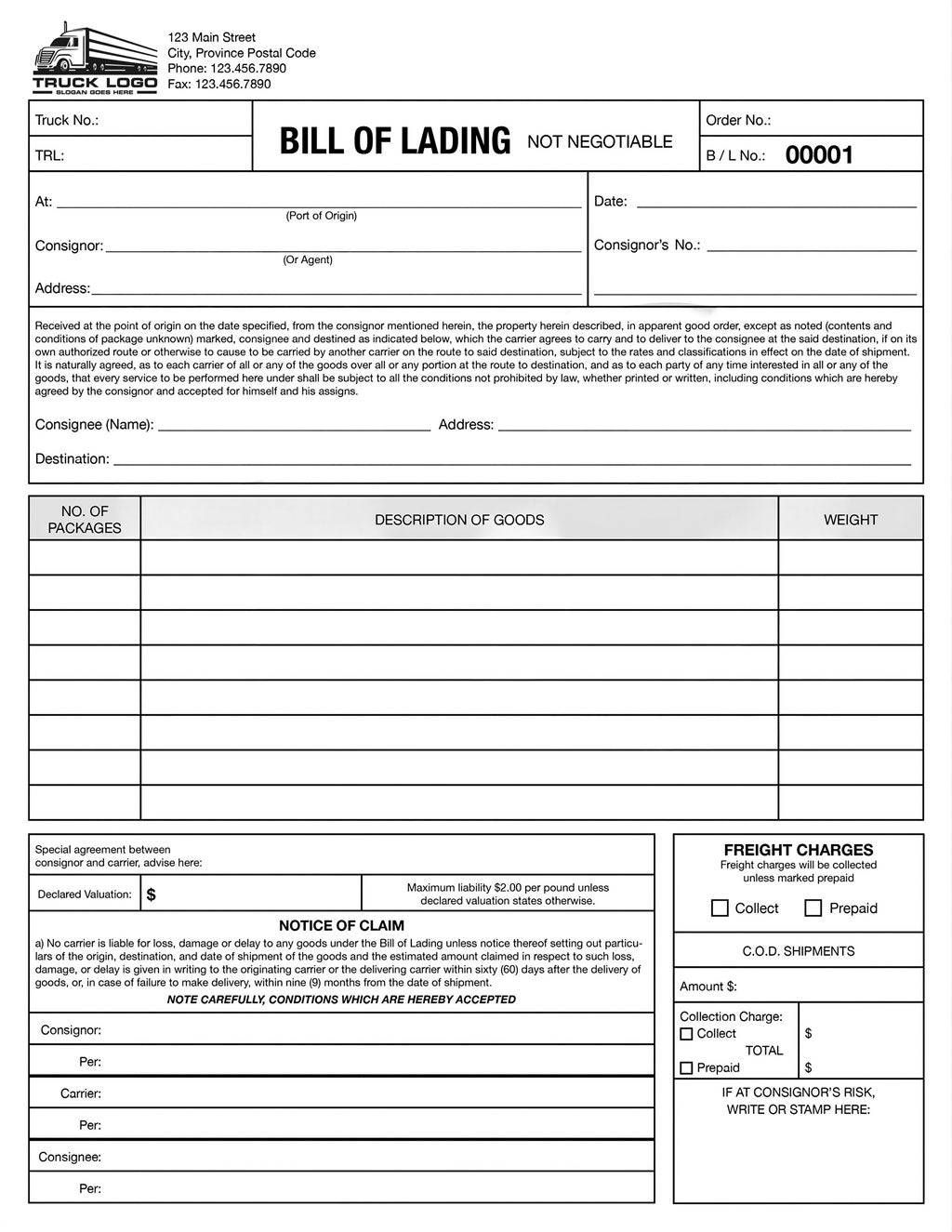


Prepare professional shipping documents with a reusable, custom-branded Bill of Lading from BorderPrint. Personalized with your company logo and business details, this fillable PDF lets you enter shipment information digitally, save a completed copy, and print when needed.
Purchase your customized template once and reuse it for future shipments. Simply enter your own BOL number for each shipment; no pre-numbered batches or ongoing subscription required.
Features
- Custom branding: Your company logo and business information built into the form.
- Digitally fillable fields: Enter shipment details, references, goods descriptions, quantities, and weights directly into the PDF.
- Three matching copies: Includes shipper, carrier, and consignee copies. Enter shared shipment information once to populate all three.
- Automatic totals: Built-in calculations help reduce manual addition. Review all totals before use.
- Your own BOL numbering: Enter a shipment number that matches your existing records. Numbers do not automatically generate or increase.
- Reusable template: Keep a blank master and save a separate completed PDF for each shipment.
- Print when needed: Designed for standard 8.5 × 11-inch letter-size paper.
Customization & Delivery
Provide your company logo and the business details you want included. BorderPrint will prepare your personalized PDF and send the completed file digitally once customization is finished.
This is a made-to-order digital product, not an instant-download generic template. No physical forms or booklets are included.
How to Use Your BOL
- Save your master: Download your customized PDF and keep an unused copy for future shipments.
- Open the file: Use the desktop Adobe Acrobat Reader app for the recommended completion workflow.
- Enter your BOL number: Assign a unique number using your company's numbering system.
- Complete shipment details: Fill in the applicable shipper, consignee, routing, reference, and goods information.
- Review all copies: Check the entered information and calculated totals on the shipper, carrier, and consignee copies.
- Save a shipment copy: Use Save As and a descriptive filename so your blank master remains available.
- Print and sign: Print the required copies and obtain the applicable signatures for your shipment.
Before You Order
This product is a fillable PDF, not an automatic numbering system or a physical NCR carbonless form. You are responsible for assigning and tracking your BOL numbers.
Confirm that the form meets your carrier's and shipment's requirements before use. A Bill of Lading does not replace other required customs or shipping documents.